AI VIDEO EFFECT

Broom Riding AITurn one photo into a flying commute

Browse free10 credits (480p) · 20 credits (720p)

Upload one adult or household-pet photo for the Parallel Commute roadside scene: approach on a broom, look, smile or gesture toward the observer, then continue or accelerate away to complete the impossible commute. Browsing and choosing options are free; generating one video requires a registered MakeHit account and costs 10 credits at 480p or 20 credits at 720p.

1 photo 6 s · Audio on 9:16 · TikTok/Reels No site-added watermark

Choose your rider

1Who is riding?

Who is riding?

2Upload photos

Rider photo required

Use your own photo or a consenting adult’s. No photos of other minors or public figures.

3Choose video quality

6 sec · 9:16
Resolution

By generating you confirm you have permission to use the people in your photos. Terms · Privacy

Private job and result · 10 credits · 480p · 20 credits · 720p

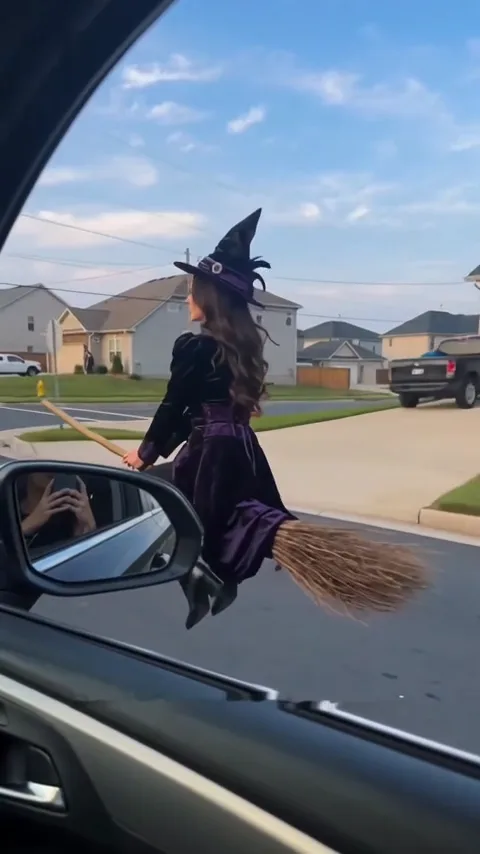
AI-generated Broom Riding AI example illustrating the recognizable scene
THE RESULT

What the Broom Riding AI video looks like

Watch the defining action, identity continuity and ending across the complete clip rather than judging a poster frame.

Watch how the recognizable scene unfolds

Use the supported roles and options shown in the creator for your own version.
  • Watch the complete example rather than only its poster frame.
  • Check identity, the defining action and visual continuity through major transitions.
  • Confirm that the ending completes the joke or emotional turn.
  • Listen to the full example and assess its audio separately from your own output.
Input · Rider photo
Input references

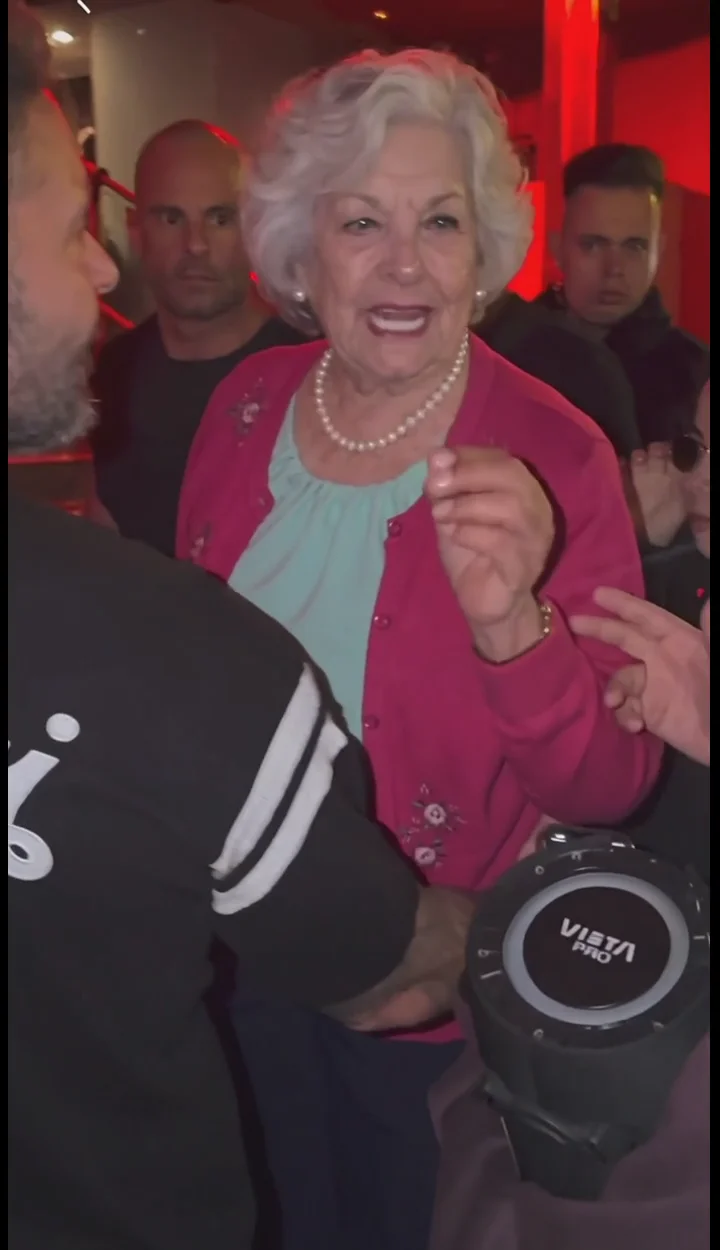
Upload one authorized rider photo: one adult person or one household pet.

Saved example from a related project. It illustrates one version of the effect, not every available role, setting or soundtrack.
THREE STEPS

How to make a Broom Riding AI video

Prepare the right photos, choose the offered options, then generate and review the entire clip.

01

Prepare your photos

Upload one authorized rider photo: one adult person or one household pet. Use clear images that you have permission to submit.

02

Choose roles & options

Parallel Commute is the only scene; choose Person or Pet to match the rider. Confirm the resolution, duration and credit total shown in the creator.

03

Download & post

Create your Broom Riding AI clip, inspect identities, motion continuity, audio and the ending, then download the MP4 to post yourself.

PHOTO GUIDE

Which photo works best?

Person or pet

Input & role order

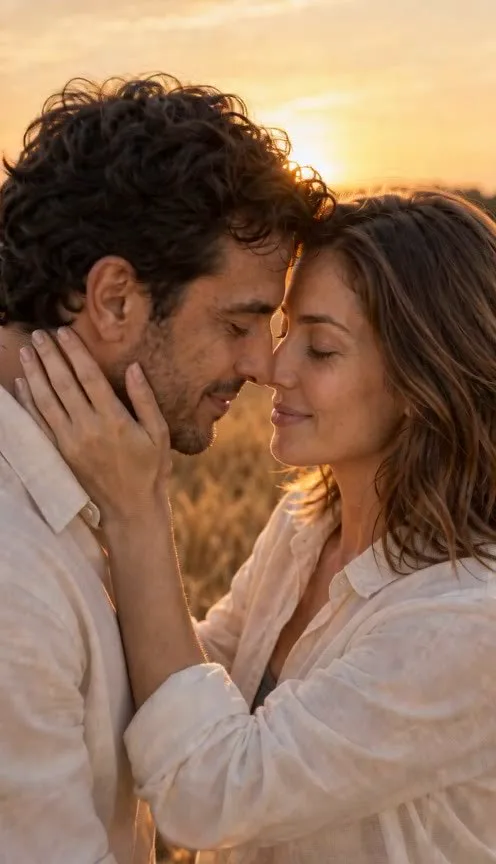
One photo of one adult or one household pet as the rider.

Compose the shot

Show a clear face, recognizable clothing or markings, and an unobstructed body outline.

Avoid

Avoid group shots, hidden identifying features, motion blur and beauty filters.

Every upload

  • Use a sharp, well-lit photo; avoid groups, hidden faces, overlapping subjects and deep crops.
ORIGIN

Where the My Ride Is Here broom trend came from

Kicking off in late September 2026 with @rora_dd's "¡Ya llegó mi transporte!" and @user2312450393252's 1.2M-play "My Ride Is Here" clip, the street-crossing broom gag took off alongside @svetlanastriz's rainy red-light run set to The Cramps' "Teenage Goo Goo Muck". By October 20, @plotpocket1 hit 3.5M plays on Ziggyblock666's 38.2K-video sound while comments groaned "don't bother, you have to pay".

  1. @user2312450393252 hits 1.2M plays on the "My Ride Is Here" broom gag

    Following @rora_dd's September 27 "¡Ya llegó mi transporte!" clip, the street-crossing broom visual pulls 1.2M plays and 18.7K shares. TikTok · @user2312450393252

  2. Ziggyblock666 audio powers 38.2K broom-commute remakes

    As @emerysau327 draws 892.9K plays on October 10 and @svetlanastriz posts an October 13 rainy red-light clip to The Cramps' "Teenage Goo Goo Muck", Ziggyblock666's sound climbs to 38.2K clips. Public source · tiktok.com

  3. @plotpocket1 hits 3.5M plays while viewers roast tool paywalls

    Earning 71.4K shares and 1,012 comments, top replies warn "don't forget to add the part where you need to pay." alongside jokes like "my ex does that in real life". TikTok · @plotpocket1

  4. @ofipml2 pushes the crossing-street edit to 1.3M plays

    Sharing the 38.2K-video sound, @ofipml2 collects 1.3M plays, 43K likes, and 22.3K shares into November. TikTok · @ofipml2

Milestones combine Ziggyblock666's 38.2K-video TikTok sound with posts by @rora_dd, @user2312450393252, @emerysau327, @svetlanastriz, @plotpocket1, and @ofipml2.

PROMPT

The Broom Riding AI prompt

Start with this public guide in your own AI video tool, adapt it to your setup and use only authorized photos. Review the result for identity, motion, visual continuity and the complete ending.

Photo recreation public guideUpload one authorized rider photo: one adult person or one household pet.

Public replication guide — Photo recreation A rider on a broom treats an impossible flight like an ordinary pickup or commute. The common public setup is a road- or car-adjacent point of view, an approach, acknowledgment and departure; witch costumes and other locations are variants, not universal requirements. Preserve the authorized identity information supplied for each requested role. Recreate the recognizable public sequence: The broad sequence is: A road, vehicle or ordinary location establishes an everyday transport joke. One broom rider approaches or comes alongside the camera at a readable distance. The rider looks, smiles or gestures toward the observer while staying with the broom. The rider continues or accelerates away, completing the impossible-commute punchline. Keep spatial relationships, lighting and object continuity coherent. Review the full result for identity drift, anatomy, contact and transition artifacts. Use only audio and source images you are permitted to publish.

Public replication guidepublic guidescene recreationreview checklist
PRICING

How many credits does Broom Riding AI cost?

A generation costs 10 credits at 480p or 20 credits at 720p; Person and Pet cost the same.

Standard · 480p10 credits6 seconds · 9:16 vertical · The lower-credit option for the same complete effect.
HD · 720p20 credits6 seconds · 9:16 vertical · The higher-resolution option for closer inspection of identities, motion and scene details.

Browsing examples and reading this guide are free. Credits are used only when you choose to generate a video. Review the credit total in the creator before submitting. You authorize the displayed charge when you start generation. Correct any input or permission issue and review the result before trying again. Refund and credit-return eligibility is not stated on this page. These prices apply to this MakeHit effect, not third-party tools. Higher resolution does not guarantee better identity preservation or motion.

SEQUENCE

Broom Riding AI, second by second

Follow the defining action as story beats rather than fixed timestamps for every generated clip.

TimeBeatWhat should happen
Beat 1Roadside setupAn ordinary road, vehicle or pickup viewpoint establishes everyday transport.Keep the setting clear before the rider arrives.
Beat 2The rider approachesOne broom rider approaches or comes alongside the camera at a readable distance.Check rider anatomy, broom contact and spatial continuity.
Beat 3The observer is acknowledgedThe rider looks, smiles or gestures toward the observer while staying with the broom.Preserve identity and make the look or gesture easy to read.
Beat 4The commute continuesThe rider continues or accelerates away, completing the impossible-commute joke.Watch the complete departure rather than stopping at the acknowledgment.
VERSIONS

Which Broom Riding AI version should you use?

Photo recreation

BEST FORChoose the options that match your authorized photos and the scene you want, using the roles and settings offered in the creator.

Parallel Commute supplies the encounter for both roles. Review the approach, acknowledgment and departure in the complete Person or Pet clip.

PROBLEMS

Common Broom Riding AI problems & fixes

Use the symptom to decide whether the source photos, role assignment, action continuity or soundtrack need attention.

ProblemLikely causeWhat to change
The intended identity is ambiguousA group image, hidden face or wrong role assignment leaves the subject unclear.Use one clearly visible authorized identity per requested role and check the preview.
The recognizable action is weakThe source or settings do not support the important gesture, contact or spatial relationship.Choose an image with readable body information and review the complete defining action, not just a strong poster frame.
Appearance or objects change during motionGenerative reconstruction can alter faces, clothing, limbs and held props across frames.Inspect transitions and interaction frames. Replace obscured inputs and create a fresh version when identity, anatomy or object continuity breaks.
The soundtrack does not match expectationsPublic tools variously deliver silence, generated ambience or claimed original music.Listen to the complete video, check that the sound fits the scene, and use only audio you have permission to publish.
PUBLISHING

Sound, captions, hashtags & safety

Label the scene as AI-generated, use authorized identities and handle soundtrack permission separately.

Audio and caption context

“My Ride Is Here” is a caption and sound-search phrase in public tutorials. Third-party downloads may be silent or carry generated ambience. MakeHit uses road ambience, light wind and a passing whoosh rather than a fixed song or spoken dialogue.

A trend name does not grant a music license. Listen to the actual output and use audio permitted for your platform, audience and territory.

Caption ideas

  • AI recreation: my take on Broom Riding AI
  • Made with authorized photos; watch the full transformation

Hashtags

#BroomRidingAI#AIVideo#AITrend

AI disclosure & safety

  • Disclose realistic AI-generated or materially altered media with the destination platform’s labeling controls, and never present the fictional scene as a real event.
  • Do not imply the depicted event really happened.
  • Use only authorized identities and do not reuse unlicensed reference media or music.
  • Check faces, hands, transitions and text-free crops before publishing.
FAQ

Broom Riding AI questions, answered

Practical answers about the trend, tool differences and how to evaluate an example. support@makehit.app

CREATE YOUR VIDEO

Make your Broom Riding AI video

Bring your authorized photos, choose the effect options and start creating.