Window Peeper AITurn one photo into a window-watching burger scene
Browse free10 credits (480p) · 20 credits (720p)
Upload one adult, cat or dog photo and choose one of nine rooms; the camera approaches a lit window, the subject eats a burger, lowers it to stare back, then stands and pulls the curtain fully closed. Browsing and choosing options are free; generating one video requires a registered MakeHit account and costs 10 credits at 480p or 20 credits at 720p.
1 photo 14 s · Audio on 9:16 · TikTok/Reels No site-added watermark
Choose who gets caught & where
1Who is in the photo?
2Upload photos
Main photo required
More settingsOptionalRoom: Auto (original room)
Optional scene choices. The recommended default is already selected.
Use your own photo or a consenting adult’s. No photos of other minors or public figures.
3Choose video quality
14 sec · 9:16
By generating you confirm you have permission to use the people in your photos. Terms · Privacy
Private job and result · 10 credits · 480p · 20 credits · 720p
THE RESULT
What the Window Peeper AI video looks like
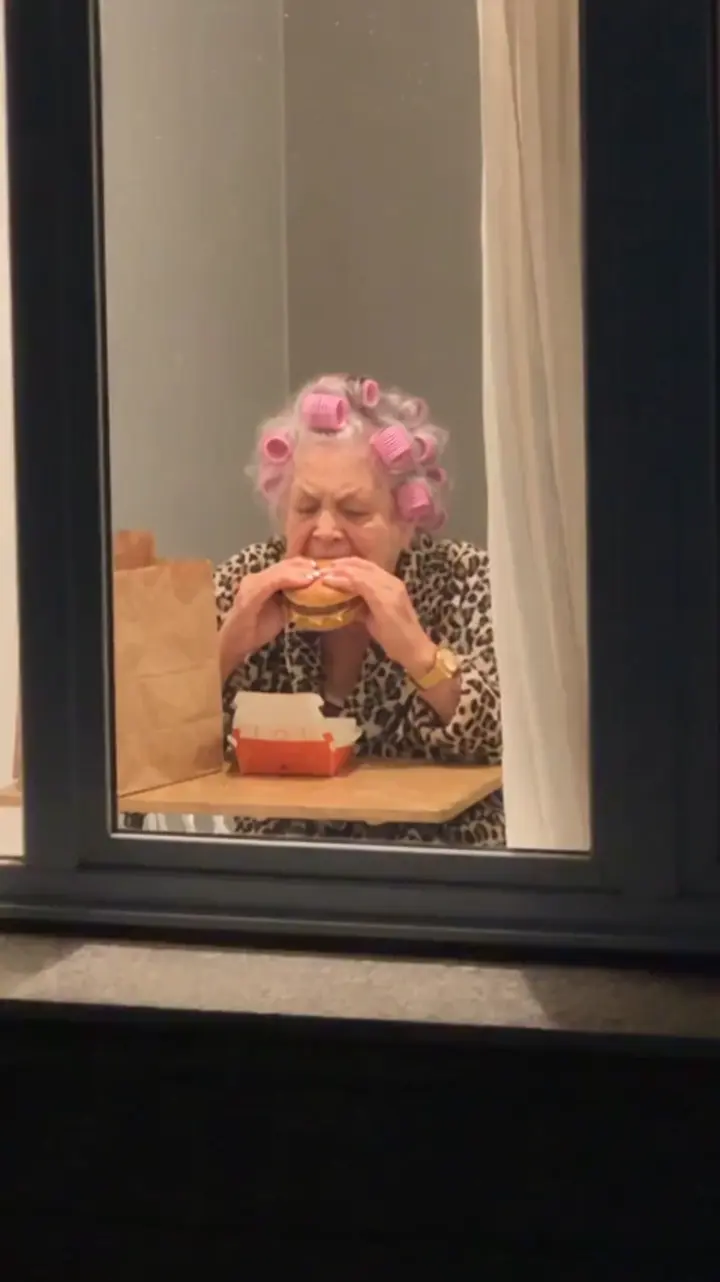
The camera approaches a warm lit room from outside and holds the subject behind the window frame. The person or pet continues eating before locking eyes with the viewer; the irritated pause gives way to a stand, a reach for the side curtain and a fabric wipe that ends the view.
1 / 3
Pink rollers meet the original room
Person · Original room
A source portrait supplies one adult in the warm Auto room.
The prepared sequence keeps the burger, stare and curtain ending.
Inspect mouth contact, natural hands and the final curtain grip.
Use only the example that matches your selected subject and room, and inspect its input and final audio separately.
Person input
Example output. The room and anthropomorphic actions are generated fiction rather than a real household recording.
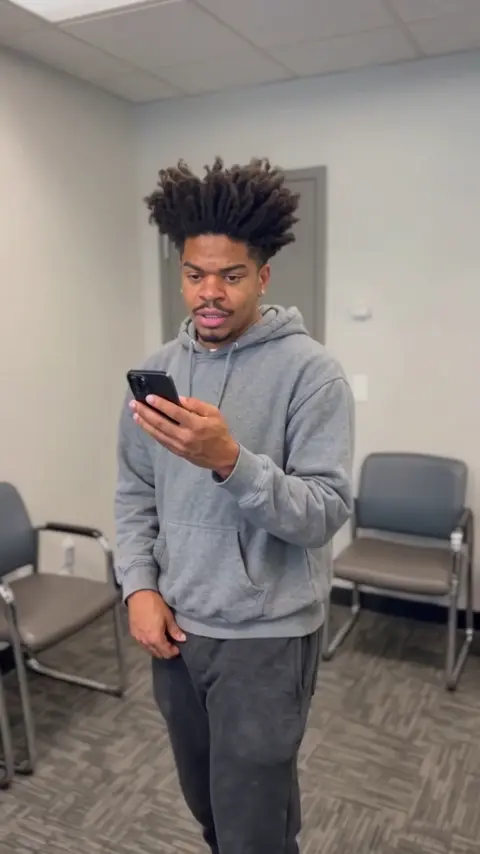
A pajama-bottom CEO holds the boardroom
Person · Secret CEO meeting
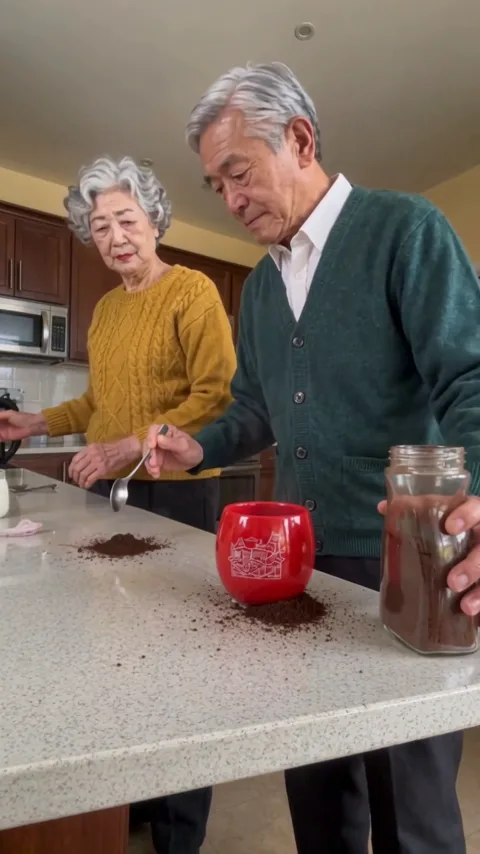
One kitchen portrait supplies a lone boardroom diner.
The suit and dinosaur-print pajama contrast powers the setting joke.
This older example has no audio track; do not use it to judge the sound mix of your final export.
Use only the example that matches your selected subject and room, and inspect its input and final audio separately.
Person input
Example output without an audio track. It does not establish what the sound stage of another export contains.
The last party guest closes the curtain
Animal · Party after everyone left
One orange tabby becomes the upright party-room eater.
Balloons and party hats establish an empty celebration without another guest.
Inspect two-paw burger handling, mouth contact and the paw-operated curtain close.
Use only the example that matches your selected subject and room, and inspect its input and final audio separately.
Animal input
Animal example output. The upright performance is fictional and does not document a pet actually eating human food.
THREE STEPS
How to make a Window Peeper AI video
Select the subject route from the photo, then choose a room that adds a story without hiding the three essential action beats.
01
Add the person, cat or dog
Use one authorized image with a readable face or head, clothing or markings and visible hands or front paws. Select the matching subject route rather than treating a pet as a generic person.
02
Choose a room & quality
Keep Auto for the ordinary warm room or choose one of eight alternatives, then select 480p for 10 credits or 720p for 20 and confirm the exact combination.
03
Download & post
Watch for completed burger bites, the stare and a full curtain close. Listen to the actual final export, check person or pet anatomy, and download only after the selected room and subject remain coherent, then download and post manually.
PHOTO & MODE CHECKLIST
Which photo works best?
Person
Input & role order
One adult photo for the burger-eating window watcher.
Compose the shot
Show a clear face, clothing, both hands and body toward the hips or upper thighs.
Avoid
Avoid group shots, hidden identifying features, motion blur and beauty filters.
Cat or dog
Input & role order
One cat or dog photo for the upright window watcher.
Compose the shot
Show the full body, head, front paws and distinctive markings clearly.
Avoid
Avoid group shots, hidden identifying features, motion blur and beauty filters.
Every upload
Use a sharp, well-lit single-subject photo; avoid cropped hands or forepaws, groups and blur.
SOURCE TIMELINE
Where the Window Peeper AI trend came from
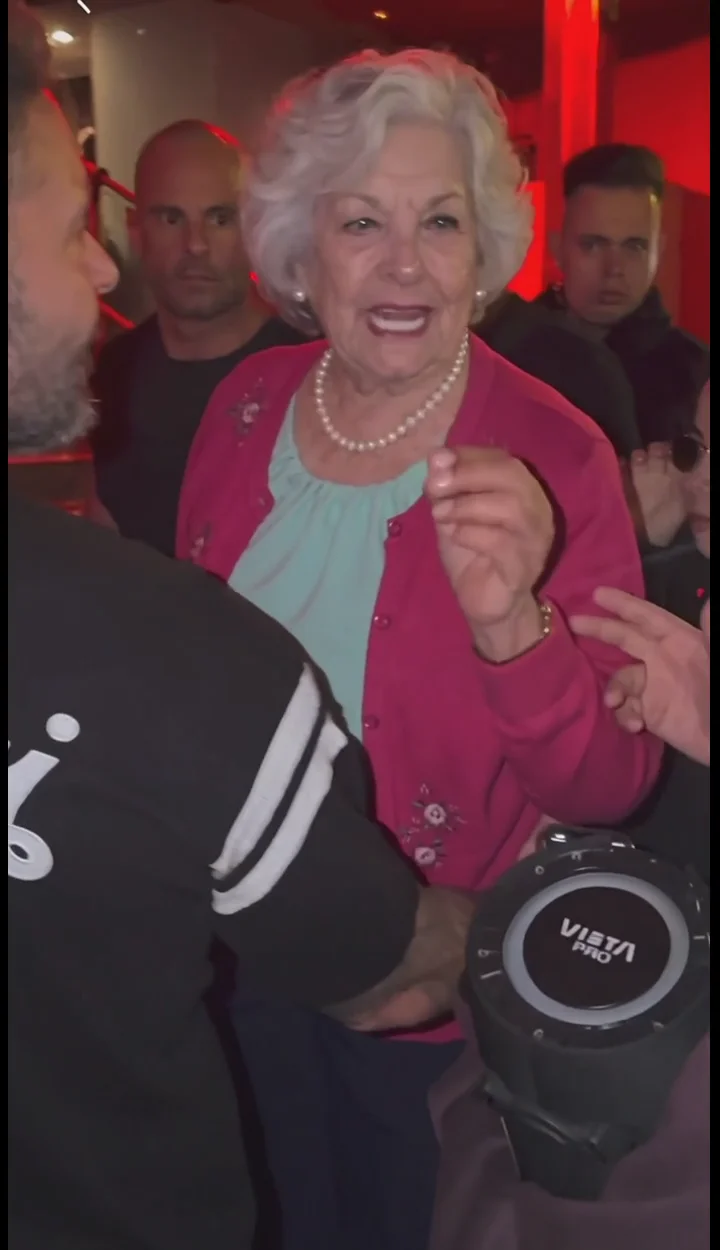
The midnight peep-and-snack gag blew up on October 20, 2026 when @therealrodentspawn zoomed from a dark street into a lit apartment window to catch Mr. Bean mid-bite—a 'Burger Thru Window' clip that hit 2.9M plays, 144.1K likes, and 485 sound remixes. Follow-ups by @ninezincreates1.ai (245K plays) and @lukinha.ia recast celebrities eating burgers while viewers laughed "burger Jackson be like:💀" and "Simon cowell in the same video eating the mcdonalds 😂".
@therealrodentspawn hits 2.9M plays with Mr. Bean at the window
A sneaky street-level zoom catches Mr. Bean eating a burger inside a lit apartment before yanking the blinds shut, amassing 2.9M views, 144.1K likes, and 485 sound uses. TikTok · @therealrodentspawn
@ninezincreates1.ai pulls 245K views with Arthur Lima
Adapting the zoom-in reveal around Arthur Lima draws 11.3K likes, 39 sound spin-offs, and jokes that 'Lo enfocó con un iPhone 18 pro max'. TikTok · @ninezincreates1.ai
@lollipopyang7 and @artemiscc_capcut swap Pennywise into the frame
Creators push #aizoomtrend beyond snacking gags with 113.7K-play walkthroughs and creepy Pennywise window reveals. TikTok · @lollipopyang7
@lukinha.ia casts Michael Jackson for 36.5K midnight views
Catching 'burger Jackson' mid-chew at the curtains sparks 3,492 likes and 238 comments across comedy feeds. TikTok · @lukinha.ia
Milestones cite public October–November 2026 TikTok posts from @therealrodentspawn, @ninezincreates1.ai, @lollipopyang7, and @lukinha.ia; viral clips never convey celebrity likeness or audio rights.
PROMPT
Window Peeper AI prompts for person & pet
Choose a person or pet guide and one room, then add a clear authorized photo. These optional starting points describe the prepared action; MakeHit supplies the camera movement, performance and audio.
Person at the windowOne authorized adult photo + any supported room
Create one continuous vertical night-window encounter with the uploaded adult as the only person. Preserve recognizable facial features, hair, ordinary clothing and natural body proportions. Show the subject seated front-facing at a table, visibly eating one burger, then noticing the observer and holding a direct displeased stare. Have the subject rise, reach naturally for the side curtain and pull it fully across the window. Apply only the selected room preset while retaining the table, burger, window frame and curtain. Do not add another person, skipping the meal, a second burger, readable text or a handheld-camera tour inside the room.
Cat or dog at the windowOne authorized cat/dog photo + any supported room
Create the same prepared window encounter with one upright anthropomorphic cat or dog as the only identity. Preserve its recognizable head, species, markings, visible clothing and animal proportions. Show two unmistakable burger bites using both front paws, visible mouth contact and chewing before the burger lowers to chest height for a direct annoyed stare. Finish with the animal rising and using one front paw to pull the side curtain fully closed. Apply only the chosen room preset. Do not replace paws with bare human hands, omit the bites, add another animal or change the fixed curtain ending.
PRICING
How many credits does Window Peeper AI cost?
Room selection and person-versus-animal routing do not create separate price lists. The same 480p and 720p credit tiers apply to the complete 14-second prepared action.
480p10 credits9:16 vertical · 14 seconds · Check the bite, stare and curtain sequence plus room continuity at the 480p tier.
720p20 credits9:16 vertical · 14 seconds · Inspect mouth contact, hands or paws, fabric grip and room details at 720p resolution.
Selecting the authorized photo, actual mode, supported setting and quality prepares the job without itself starting generation Review the exact selected credit total on Generate before submitting a job Correct invalid inputs, rights problems or failed quality checks before any retry. The credit tier does not certify audio rights, identity fidelity or defect-free results. No automatic paid retry or processing-speed promise is included.
ACTION MAP
Window Peeper AI, second by second
This map preserves action order without treating prompt landmarks as newly measured timestamps. Judge your export by the visible transitions and by its own final audio.
Time
Beat
What should happen
Outside approach
The camera moves toward one warm lit window with the table and subject framed inside.
Keep the observer outside as a camera viewpoint rather than adding a second uploaded identity.Check for one subject, one burger and a usable side curtain.
Uninterrupted meal
The person eats, or the cat/dog completes two clear anthropomorphic bites with chewing.
Complete the burger action before the stare, using animal forepaws rather than bare human hands for a pet.Confirm mouth-to-burger contact before any stare begins.
Observer acknowledged
The subject lowers the food and turns an unhurried, displeased gaze toward the viewer.
The eater notices the camera only after the meal, without adding guests or changing the subject.Watch identity, eyes, expression and food continuity through the pause.
Privacy restored
The subject stands, reaches sideways and pulls the curtain across the entire window.
Complete the curtain closure so it hides the outside view and finishes the 14-second prepared action.Check hand or paw grip, fabric deformation and whether the ending actually closes the view.
CHOOSE A ROOM
Which Window Peeper AI version should you use?
Person route
BEST FORUse one consenting adult, front-facing from the head toward the hips or upper thighs where possible, with both hands visible and ordinary clothing readable.
Use one consenting adult, front-facing from the head toward the hips or upper thighs where possible, with both hands visible and ordinary clothing readable. Select Auto or any of the eight named rooms; every room keeps the burger, stare and curtain sequence.
Cat / dog route
BEST FORUse one clearly identifiable cat or dog with readable head, species, fur markings and front limbs; the prepared result sits upright and uses anthropomorphic forepaws while preserving animal anatomy.
Use one clearly identifiable cat or dog with readable head, species, fur markings and front limbs; the prepared result sits upright and uses anthropomorphic forepaws while preserving animal anatomy. Select Auto or any of the eight named rooms; every room keeps the burger, stare and curtain sequence.
PROBLEMS
Common Window Peeper AI problems & fixes
A convincing room cannot compensate for missing bites, humanized pet anatomy or a curtain that never closes. Check the mandatory action before the decorative preset.
Problem
Likely cause
What to change
The pet never visibly bites the burger
The animal route requires two distinct mouth-contact bites and chewing before the stare.
Use a clear forward-facing cat/dog source, confirm animal mode and reject a result that only holds food without completing the meal action.
Human hands appear on the cat or dog
Anthropomorphic posture should retain fur-covered animal forelimbs rather than human skin and fingers.
Inspect both food handling and curtain grip; use a pet image with readable front limbs and reject anatomy substitutions.
The stare happens before the meal
The recognizable role reversal depends on uninterrupted eating followed by acknowledgement.
Review the full sequence and do not accept an early stare as an equivalent edit; the burger action is mandatory.
The curtain barely moves
The ending must close the outside view, not merely flutter as set decoration.
Check that the subject stands, grips the side fabric and pulls it fully across; inspect the final frames rather than stopping at the stare.
The room adds extra people
A party, boardroom or royal setting should provide props, not a new cast.
Keep one authorized subject in the upload and result; reject additional featured faces rather than treating them as part of the preset.
An older example has no sound
The Secret CEO example has no audio track; the visual render is silent before prepared audio is added afterward.
Test your final export with sound; that older example proves neither universal silence nor a completed final mix.
POSTING KIT
Sound, captions, hashtags & safety
The caption can play with being caught without suggesting that you filmed a real home, a real pet eating human food or a genuine surveillance encounter.
Sound & permissions
The template creates the visuals first and adds prepared audio afterward. Listen to the downloaded file rather than inferring sound from an older example, and confirm that you may publish the actual track.
Prepared audio or dialogue in the template does not by itself clear music, voice, performance or public-reuse rights
Caption ideas
When the peeper becomes the peeped · AI-generated
He was not sharing the burger or the view · AI edit
My cat closed the curtains on 2026 · fictional AI video
Dinner for one, audience for zero · Window Peeper AI
Label the generated room, person or anthropomorphic pet clearly and use platform synthetic-media tools where applicable; avoid presenting the footage as a real private-home recording.
No real peeping, trespassing or filming identifiable private interiors. Use authorized photos, consider pet-welfare implications in captions, and secure any required trend-audio and portrait permissions.
FAQ
Window Peeper AI questions, answered
These answers address gaps that remain after choosing a room and learning the basic action. For account or billing help, contact support@makehit.app. support@makehit.app
Bring one authorized photo, choose from nine rooms and inspect the complete 14-second burger, stare and curtain sequence—with the final export’s actual sound—before sharing.