Need for Speed AIDrive your parked ride through a Need for Speed drift chase
Browse free10 credits (480p) · 20 credits (720p)
Upload one clean photo of your commuter beater, van, or coupe to drive an 8-second widescreen street-drift montage powered by turbo roar and screeching tire cuts. Shoot parked front three-quarter angles on open asphalt in daylight so low curb tracking shots preserve decals, headlights, and roof racks faithfully. Browsing and choosing options are free; generating one video requires a registered MakeHit account and costs 10 credits at 480p or 20 credits at 720p.
1 vehicle photo 8 s · Audio on 16:9 · YouTube/Shorts No watermark
Make your Need for Speed AI video
1Upload photos
Vehicle photo required
Use your own photo or a consenting adult’s. No photos of other minors or public figures.
2Choose video quality
8 sec · 16:9
By generating you confirm you have permission to use the people in your photos. Terms · Privacy
Private job and result · 10 credits · 480p · 20 credits · 720p
THE RESULT
What the Need for Speed AI video looks like
Watch MakeHit drive a real parked vehicle photo through four continuous low-angle drift cuts with turbo roar.
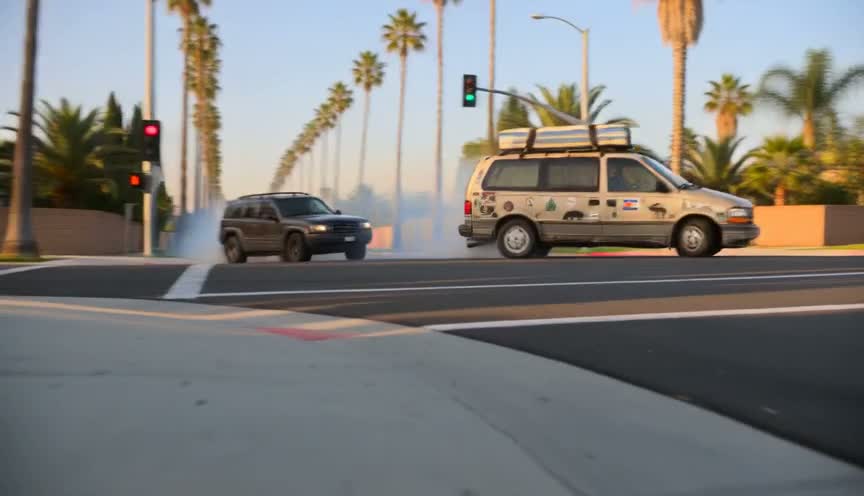
Dented plumber minivan drifts past checkered curbs
16:98sAAC audio
Roof mattresses, rust spots, and bumper stickers remain locked across all 4 drift cuts
Curb cyclist pass, wide corner tire smoke, low wheel close-up, and SUV rear dodge
Smooth 16:9 widescreen motion without deformed wheels or disappearing decals
Native turbo spool, tire screech, and clean AAC audio with zero watermarks
Vehicle photo
Created with MakeHit using one photo of a rusty 1996 Dodge Caravan strapped with mattresses and tourist decals.
THREE STEPS
How to make a Need for Speed AI video
Follow three concise steps to render a clean 8-second MP4.
01
Upload one clear car photo
Choose a sharp side or front three-quarter vehicle image showing full roof details, decals, and rims.
02
Select 480p or HD 720p
Preview the 4-cut drift chase at 480p (10 credits) or export sharp asphalt texture at HD 720p (20 credits).
03
Download & post
Check curb drift smoke, roof accessories, and native exhaust audio before downloading to post manually.
PHOTO GUIDE
Which photo works best?
Need for Speed AI
Input & role order
One crisp three-quarter daylight photo of a single car, van, or truck.
Compose the shot
Full vehicle silhouette inside frame with clear paint, roof cargo, or sticker details.
Avoid
Heavy motion blur, half-cropped bumpers, or tight garage darkness.
Every upload
Upload JPG, PNG, WebP, or HEIC under 10 MB with open margin around tires and roof.
Where the Need for Speed cinematic car drift edit came from
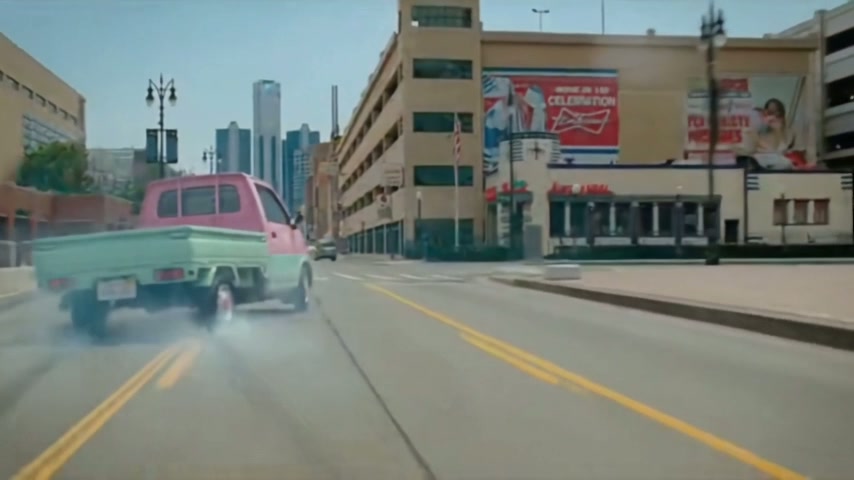
It started on November 11, 2026, when pickup owner @lakenyoung posted his red truck in an arcade street chase captioned 'What did Ai do to my truck'—watching AI morph a boxy pickup into a low coupe commenters called a 'Stangierra' (74K plays, 5.5K likes). A day later, CapCut tutorials reposted his video to 184.3K plays (@user9888733511635, where @lakenyoung replied 'Bro this is my video') before @5ohfabio's Mustang edit hit 1.0M plays while viewers complained app templates paywalled or stalled at 99%.
@lakenyoung posts 'What did Ai do to my truck'
His red pickup morphs into a slammed coupe under djupdog's 18.1K-video sound, pulling 74K plays, 5.5K likes, and nicknames like 'Stangierra' across 532 comments. TikTok · @lakenyoung
@lakenyoung replies 'Bro this is my video' under 184.3K-play reposts
@user9888733511635 and CapCut guides reuse @dobby_gnome's 273-video Justin Stevens sound while commenters joke 'Who's driving a Silverado Mustang' and vent that CapCut stalls at 99%. TikTok · @user9888733511635
@5ohfabio posts AI Mustang chase passing 1.0M plays
Captioned 'Deleted scenes from NFS' with an explicit AI disclaimer on N3URU2's 13.8K-video sound, it reaches 164.5K likes, 9.3K shares, and 18.8K saves while commenters ask to run a Kia or Mustang next. TikTok · @5ohfabio
@kolkmanlaperle & @salomeholcomb add daily sedans to #needforspeedaitrend
Follow-on tutorials put parked commuters into four-cut street chases, as comment sections fill with viewers complaining one-tap app templates replace their real vehicle with a stock coupe. TikTok · #needforspeedaitrend
Dates match UTC post timestamps decoded from the public TikTok clips cited here; sound totals and comments reflect TikTok on November 21, 2026.
Full cultural timeline, creator variants & audio rights:
MakeHit runs beat synchronization automatically in your browser. Use this standalone prompt blueprint if testing manual text-to-video tools.
Need for Speed AIVehicle photo
Photorealistic late-afternoon cinematic street-drift montage starring an absurd rusty beige 1996 minivan strapped with roof mattresses and travel stickers. 0.0-1.7s: Low curb tracking camera sweeps fast past a foreground road cyclist on the right edge as the minivan and a trailing dark SUV race down a sunny palm-lined boulevard. 1.7-4.7s: Wide sunny suburban intersection pan as the minivan whips sideways into an aggressive high-speed corner drift throwing thick white tire smoke past palms and brick walls. 4.7-6.7s: Ultra-low wheel-level rolling camera slides along red-and-white checkered curb barriers as dense white smoke pours off spinning rear tires. 6.7-8.0s: Tight handheld rear chase camera dodges past a dark foreground SUV as the minivan blasts forward. Realistic turbo exhaust roar and screeching tires, crisp 16:9 widescreen.
CREDITS
How many credits does Need for Speed AI cost?
10 credits for standard 480p or 20 credits for HD 720p.
480p10 credits16:9 · 8s · Quick standard preview MP4 with synchronized AAC audio.
720p20 credits16:9 · 8s · High-definition export with crisper textures and facial detail.
Browsing presets, inspecting real examples, and picking options are completely free. Credits are held on submission and deducted only when a run succeeds. Failed jobs automatically return held credits to your account balance. Pay per pack without mandatory subscriptions.
BREAKDOWN
Need for Speed AI, second by second
Synchronized across 4 timed cuts totaling 8 seconds.
Time
Beat
What should happen
0.0-1.7s
Cyclist boulevard pass
Low curb camera whips past a roadside cyclist as your vehicle charges down the palm-lined avenue.Check clean grille, headlights, and roof cargo lock.
1.7-4.7s
Wide corner smoke drift
Wide intersection pan catches an aggressive sideways power slide pouring billowing white tire smoke.Check spinning wheel geometry.
4.7-6.7s
Checkered curb tire sweep
Ultra-low wheel-height tracking shot hugs red-and-white racing curbs beside spinning rear rubber.Confirm bumper stickers and rear paint match input.
6.7-8.0s
SUV dodge sprint
Tight handheld chase cam ducks past a dark SUV as your vehicle rockets down the sunlit street.Check crisp engine roar fade and clean 16:9 edge.
VERSIONS
Which Need for Speed AI version should you use?
Need for Speed AI · 480p / 720p
BEST FORUse 480p (10 credits) for quick casting checks or 720p (20 credits) for crisp social uploads.
16:9 8s MP4 with synced AAC sound and zero watermarks.
TROUBLESHOOTING
Common Need for Speed AI problems & fixes
Resolve extra roof racks vanish mid-drift cleanly using frontal uncropped inputs.
Problem
Likely cause
What to change
Extra roof racks vanish mid-drift
Input photo cropped top roof edge or blurred luggage.
Use a photo showing clean sky above roof bars or cargo.
Headlights shift style on rear cut
Extreme overhead or dark night input lacked clear rear cues.
Pick a clean daytime three-quarter parked photo.
Bystanders warp in curb shot
Original parking-lot photo had pedestrians standing beside doors.
Pick a clean unobstructed shot with open asphalt around the car.
Tight bumper crop stretches wheel arches
Side wall cropped front or rear tires.
Use a wider framing leaving clear asphalt margin on all sides.