AI VIDEO EFFECT

Burning Bridges AITurn your party photos into the cup-dance performance

Browse free20 credits (720p)

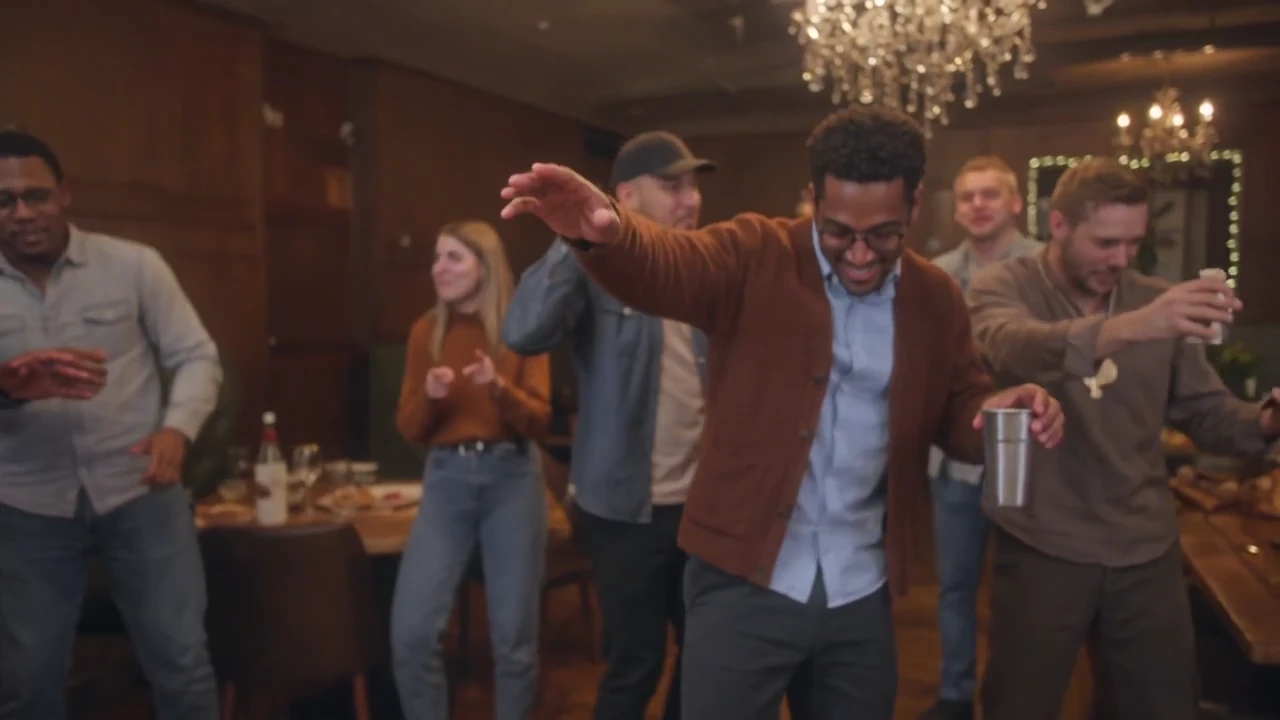
Use one required adult lead photo and up to five supporting-adult photos in a chandelier-lit party: point and gesture with a cup or shaker, shade your eyes to scan at “where she at?”, then return to individual or ensemble gestures. Browsing and choosing options are free; generating one video requires a registered MakeHit account and costs 20 credits at 720p.

1–6 photos 29 s · Audio on 16:9 · YouTube No site-added watermark

Cast the lead and up to five supporting performers

1Upload photos

Lead required

Foreground performer holding the silver cup

Optional photosOptionalpresets fill any empty slot

Supporting 1 Optional

Black knit cap · starts behind the lead on the left

Supporting 2 Optional

Beige bucket hat · starts behind the lead on the right

Supporting 3 Optional

Black T-shirt · large pendant chain

Supporting 4 Optional

Red hoodie and cap · rear center

Supporting 5 Optional

Bareheaded dark top · far left near the end

Use your own photo or a consenting adult’s. No photos of other minors or public figures.

2Choose video quality

29 sec · 16:9
Resolution

By generating you confirm you have permission to use the people in your photos. Terms · Privacy

Private job and result · 20 credits · 720p

AI-generated Burning Bridges AI example illustrating the recognizable scene
THE RESULT

What the Burning Bridges AI video looks like

Watch the defining action, identity continuity and ending across the complete clip rather than judging a poster frame.

Watch how the recognizable scene unfolds

Use the supported roles and options shown in the creator for your own version.
  • Watch the complete example rather than only its poster frame.
  • Check identity, the defining action and visual continuity through major transitions.
  • Confirm that the ending completes the joke or emotional turn.
  • Listen to the full example and assess its audio separately from your own output.
Seven-view character sheet input
Input references

One authorized adult lead photo is required; up to five additional adult photos can map to Supporting 1–5, with one person per photo.

Saved example from a related project. It illustrates one version of the effect, not every available role, setting or soundtrack.
THREE STEPS

How to make a Burning Bridges AI video

Prepare the right photos, choose the offered options, then generate and review the entire clip.

01

Prepare your photos

One authorized adult lead photo is required; up to five additional adult photos can map to Supporting 1–5, with one person per photo. Use clear images that you have permission to submit.

02

Choose roles & options

Six fixed cast positions are available. Empty supporting roles are reconstructed automatically; there are no pet, room, prompt or duration selectors. Confirm the resolution, duration and credit total shown in the creator.

03

Download & post

Create your Burning Bridges AI clip, inspect identities, motion continuity, audio and the ending, then download the MP4 to post yourself.

PHOTO GUIDE

Which photo works best?

Lead + supporting cast

Input & role order

One lead adult photo; optionally add up to five separate supporting-cast photos.

Compose the shot

Show one adult per photo in upload order, with a clear face, clothing and body outline.

Avoid

Avoid group shots, hidden identifying features, motion blur and beauty filters.

Every upload

  • Use sharp, evenly lit photos; avoid groups, hidden faces, blur and deep crops.
ORIGIN

Where the Drake Burning Bridges party remake came from

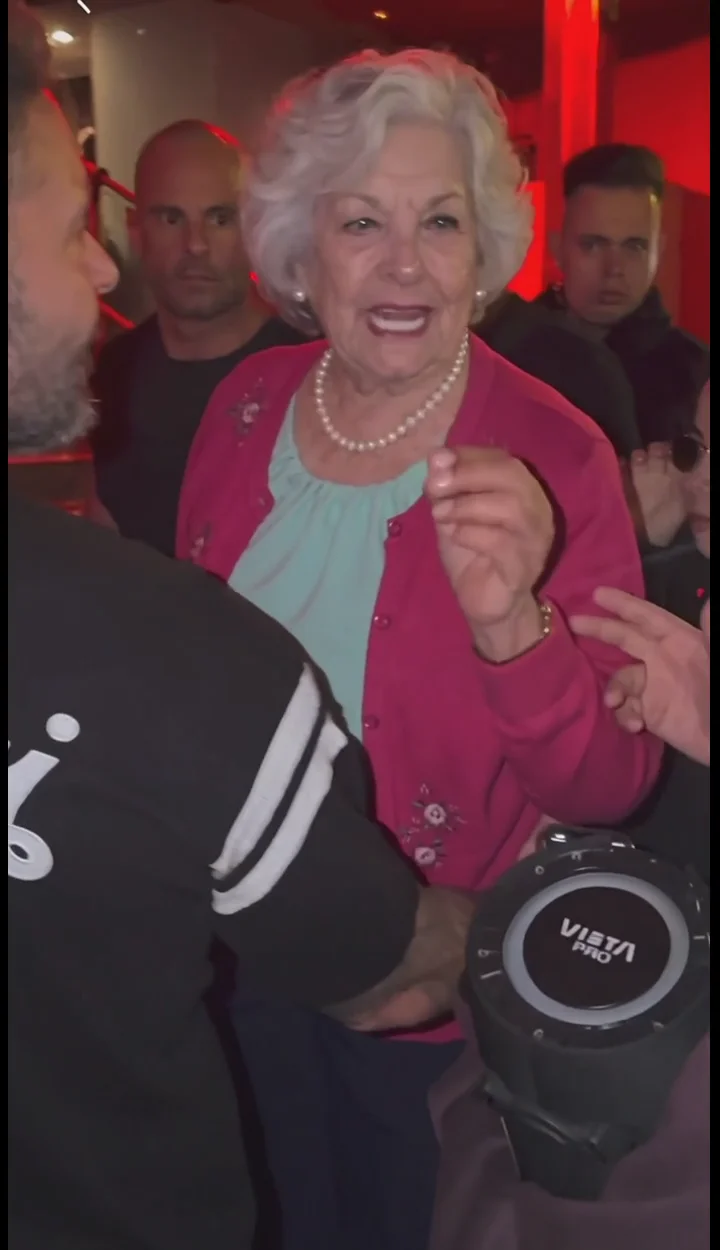
Drake's "Burning Bridges" (*Iceman*, May 15, 2026, #13 Hot 100) spiked after his July 2 FIFA World Cup gesture before October AI edits recast the Sotto Sotto Toronto party clip. On October 8, @superintelligencebangers hit 695K plays and 80.4K likes with Michael Scott at the Dundies, prompting fans to shout "The fact this was a diss on toby 😭" alongside @bppp.ieex's 722.9K-play tutorial.

  1. @superintelligencebangers puts Michael Scott in Drake's "Burning Bridges"

    Following the May 15 *Iceman* drop (#13 Hot 100) and July 2 World Cup spike, the Dundies AI party edit hits 695K plays, 80.4K likes, and 22K shares. TikTok · @superintelligencebangers

  2. X AI edits cross to TikTok as commenters yell "where she at"

    A second @superintelligencebangers post draws 94.2K plays while Michael Scott fans cheer "PRISON MIKE DROP THE TAPE ASAP!" and "where she at, where she at 🗣️". TikTok · @superintelligencebangers

  3. @bppp.ieex reaches 722.9K plays on a 1,175-video sound hub

    Set to RickLovesSports&Gaming's audio (1,175 videos), @bppp.ieex earns 47.7K likes and 6,130 shares as viewers ask "Why does this make people cute lmaooooo 🫣👀". TikTok · @bppp.ieex

  4. @mattsoicy remakes the party video as a 90s Martin sitcom edit

    Drawing 224.5K plays and 32.4K likes, viewers joke "I feel like this is directed at Duane Martin" for 2,540 comment likes. TikTok · @mattsoicy

Draws from Drake's *Iceman* / July 2 World Cup context and TikTok posts by @superintelligencebangers, @bppp.ieex, and @mattsoicy.

PROMPT

The Burning Bridges AI prompt

Start with this public guide in your own AI video tool, adapt it to your setup and use only authorized photos. Review the result for identity, motion, visual continuity and the complete ending.

Lead performance public guideOne authorized adult lead photo is required; up to five additional adult photos can map to Supporting 1–5, with one person per photo.

Public replication guide — Lead performance Public versions recreate a recognizable chandelier-party performance around a lead, cups or a silver shaker, crowd reactions and the hand-over-eyes “where she at?” gesture. Some use source-footage motion transfer and others rebuild a similar scene; they are not interchangeable mechanisms. Preserve the authorized identity information supplied for each requested role. Recreate the recognizable public sequence: The broad sequence is: The lead emerges in a crowded, chandelier-lit room with a cup or shaker and a close camera. Pointing, cup movements and gestural lip-sync establish direct contact with the viewer. The performer turns toward the surrounding group as the camera and crowd respond. A flat hand covers or shades the eyes while scanning, commonly synchronized to “where she at?” Versions return to pointing, waving or the ensemble; exact ending varies by source. Keep spatial relationships, lighting and object continuity coherent. Review the full result for identity drift, anatomy, contact and transition artifacts. Use only audio and source images you are permitted to publish.

Public replication guidepublic guidescene recreationreview checklist
PRICING

How many credits does Burning Bridges AI cost?

One fixed 29-second, 16:9 performance at 720p.

HD · 720p20 credits29 seconds · 16:9 · 720p · The fixed 29-second party performance with all six cast positions.

Browsing examples and reading this guide are free. Credits are used only when you choose to generate a video. Review the credit total in the creator before submitting. You authorize the displayed charge when you start generation. Correct any input or permission issue and review the result before trying again. Refund and credit-return eligibility is not stated on this page. These prices apply to this MakeHit effect, not third-party tools. Higher resolution does not guarantee better identity preservation or motion.

SEQUENCE

Burning Bridges AI, second by second

Follow the defining action as story beats rather than fixed timestamps for every generated clip.

TimeBeatWhat should happen
Beat 1Enter the partyThe lead emerges in a crowded chandelier-lit room with a cup or silver shaker and a close camera.Confirm the intended lead, polished room and one coherent prop.
Beat 2Address the viewerPointing, cup movements and gestural lip-sync establish direct contact with the viewer.Check identity, hands, prop contact and gesture continuity.
Beat 3Scan with covered eyesThe performer shades or covers the eyes with a flat hand while scanning, often at “where she at?”Keep the palm, face and crowd readable through the signature cue.
Beat 4Rejoin the ensembleVersions return to pointing, waving or interaction with the surrounding group.Review the actual ending and crowd continuity instead of assuming one final pose.
VERSIONS

Which Burning Bridges AI version should you use?

Lead performance

BEST FORChoose the options that match your authorized photos and the scene you want, using the roles and settings offered in the creator.

Empty supporting roles are reconstructed automatically. Review all six positions through the performance; there are no pet, room, prompt or duration selectors.

PROBLEMS

Common Burning Bridges AI problems & fixes

Use the symptom to decide whether the source photos, role assignment, action continuity or soundtrack need attention.

ProblemLikely causeWhat to change
The intended identity is ambiguousA group image, hidden face or wrong role assignment leaves the subject unclear.Use one clearly visible authorized identity per requested role and check the preview.
The recognizable action is weakThe source or settings do not support the important gesture, contact or spatial relationship.Choose an image with readable body information and review the complete defining action, not just a strong poster frame.
Appearance or objects change during motionGenerative reconstruction can alter faces, clothing, limbs and held props across frames.Inspect transitions and interaction frames. Replace obscured inputs and create a fresh version when identity, anatomy or object continuity breaks.
The soundtrack does not match expectationsPublic tools variously deliver silence, generated ambience or claimed original music.Listen to the complete video, check that the sound fits the scene, and use only audio you have permission to publish.
PUBLISHING

Sound, captions, hashtags & safety

Label the scene as AI-generated, use authorized identities and handle soundtrack permission separately.

Audio and caption context

The “where she at?” lyric cue explains the hand-over-eyes gesture. Reusing Drake’s song raises separate music-permission and platform questions, and some third-party guides suggest a substitute beat. Check and clear the actual soundtrack you publish rather than relying on another tool’s audio description.

A trend name does not grant a music license. Listen to the actual output and use audio permitted for your platform, audience and territory.

Caption ideas

  • AI recreation: my take on Burning Bridges AI
  • Made with authorized photos; watch the full transformation

Hashtags

#BurningBridgesAI#AIVideo#AITrend

AI disclosure & safety

  • Disclose realistic AI-generated or materially altered media with the destination platform’s labeling controls, and never present the fictional scene as a real event.
  • Do not imply the depicted event really happened.
  • Use only authorized identities and do not reuse unlicensed reference media or music.
  • Check faces, hands, transitions and text-free crops before publishing.
FAQ

Burning Bridges AI questions, answered

Practical answers about the trend, tool differences and how to evaluate an example. support@makehit.app

CREATE YOUR VIDEO

Make your Burning Bridges AI video

Bring your authorized photos, choose the effect options and start creating.