1 photo12s · 9:16
GTA 6 Nightclub
One photo puts you stepping out of a gullwing supercar and owning the center of a neon Vice City dance floor.
GTA AI FILTER COLLECTION · 29 LIVE EFFECTS
One GTA 6 & GTA 5 AI video hub aggregating loading screens, Vice City trailers, 5-star police chases, Wasted memes, and pet getaways. Every template preserves the reference scene, camera cuts, and synced audio from your photo—no prompts required.
29 live templates · 1–2 photos needed · 480p (10 credits) or HD 720p (20 credits) · Zero watermarks
Choose a scene, add the requested photos, and review the cost and permission confirmation before generating your video.
Neon Vice City trailers, loading screens, arrivals, and protagonist entrances built around GTA 6's coastal palette.
One photo puts you stepping out of a gullwing supercar and owning the center of a neon Vice City dance floor.
One photo drops you into four iconic Vice City trailer shots in twelve fast-cut seconds.
One photo casts you as the floral-shirt lead in a widescreen 15-second Vice City crime-story reel.
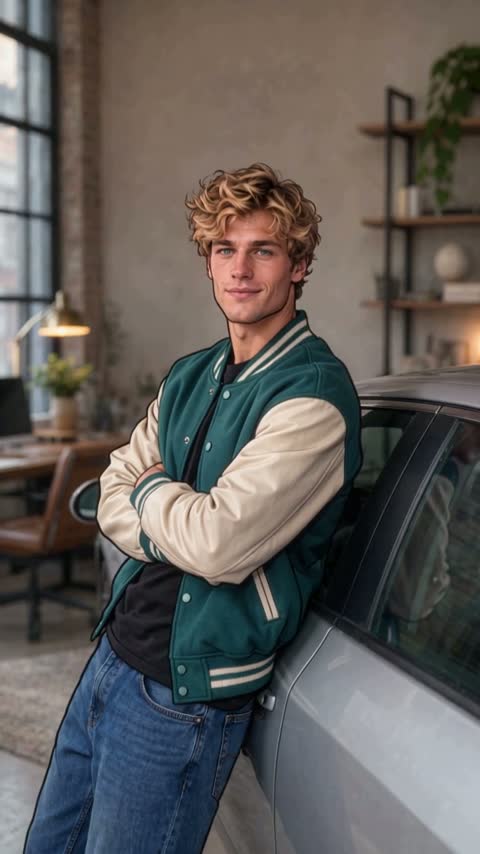
One clear photo starts arms-crossed indoors before a bright horizontal scan line transforms you into GTA comic art beside a pink Vice City convertible.
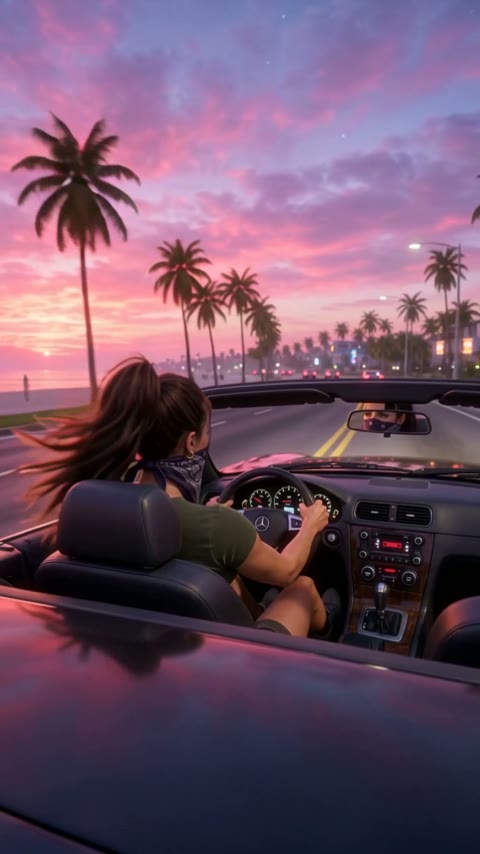
One portrait places you naturally beside Lucia in an open-seat neon Vice City sports car ride formatted in vertical 9:16.
Drop your photo and car photo into a sunny Vice City car-wash mission with progress bar and MISSION PASSED ending in 8s.
Place your required driver photo plus up to two optional backseat friends inside a black neon Vice City convertible cruise in 15s.
One half-body portrait puts you behind the club decks in a fast 5.04s 3:4 GTA DJ mission complete with lighting transitions and synced beat.
Cast a lead portrait (plus up to two optional friends) in an 11.33s 16:9 palm-sunset crew intro ending on a clean GTA character-card collage.
One full-body portrait wipes from live-action motion into a stylized grey-suit GTA loading-screen illustration in an 8.46s vertical 9:16 reel.
Five-star police pursuits, Bonnie-and-Clyde gas station getaways, arrested busted reveals, cheat codes, and airboat escapes.
Two photos turn a couple or duo into bandana-masked getaway partners sprinting into a muscle car ahead of police cruisers.
Two photos place a couple inside a midnight neon police chase that ends with a helicopter-lit rooftop embrace.
One photo turns an innocent sidewalk smile into a five-star wanted chase in a yellow supercar.
One required helmsman photo (plus up to two optional passenger photos) puts your crew on a 15-second sunset swamp airboat escape past an alligator and patrol boats.
One required portrait (plus optional co-passenger or officer photos) casts up to three faces in a 15-second neon traffic stop that snaps from monochrome arrest back into a tire-smoke escape.
One clear photo turns you into a sunset street runner transforming into a blocky voxel character to dial a golden cheat-code wave past police.
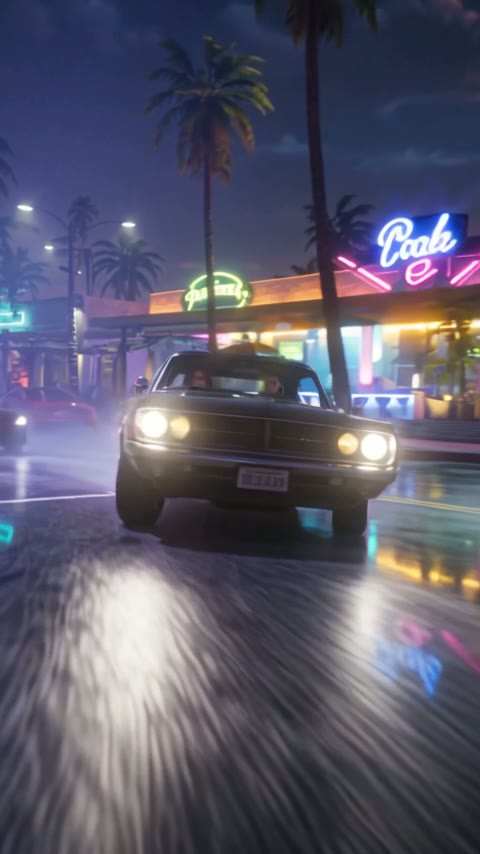
Cast one person or pet behind the wheel of a 15s rain-slicked Vice City police chase under neon reflections.
One portrait recasts you as the playable lead surviving a collapsing GTA-style city in classic 4:3 action framing with synced audio.
Cast one driver (plus an optional companion) in a 4:3 pier speedboat escape as police cruisers arrive and wake spray kicks up.
One portrait drops you into a 10s vertical 9:16 GTA street pursuit surrounded by flashing cruiser lights and synced pursuit sound.
Cast a center robber portrait (plus optional crew, store & product slots) in a 15.07s vertical 9:16 convenience-store heist and neon convertible getaway.
Grove Street & pier farewells, GTA Wasted ragdoll slow-motion endings, and classic character-swap comedy remixes.
One photo casts you as the new protagonist receiving a GTA 6 game box and car keys from the GTA 5 trio on a sunset pier.
Switch between 16:9 Giant Ball Roof Jump (optional bystander slot) and 9:16 Beach Coffee Slip (1 full-body photo), ending in monochrome red Wasted slow-motion with synced audio.
One clear photo casts you behind the wheel of a 4:3 sunset highway convertible waving goodbye to biker and car friends before wiping a tear.
One person or pet portrait steps into the iconic 16:9 Los Santos alleyway walk with golden-hour shadows and classic 'Ah shit, here we go again' dialogue.
Put your dog, cat, or custom pickup truck in the spotlight across Vice City jet skis, convertibles, and crane drops.
One pet photo casts your cat or dog as a sunglasses-wearing getaway driver in a pink convertible police chase.
Two separate photos put you and your dog on an ocean Seashark wearing green pet goggles and an orange life vest into a hero close-up.
One required center lead (plus up to two optional friend photos) powers a 15-second Vice City speedboat wave entrance culminating in stylized neon box-art illustration.
One custom pickup, car, or bike photo is airlifted by a heavy cargo helicopter straight into a downtown Vice City street chase in 16:9 widescreen.
HOW TO CREATE
Skip writing 200-word Midjourney or ChatGPT prompts. Pick a GTA scene preset below, upload clear portraits, pets, or vehicles, and download a synced MP4.
Choose any of the 29 Vice City, GTA 5, Wasted, Wanted Level, or pet getaway templates—each pre-locks proven cuts and pacing.
Drop 1 to 5 sharp JPG, PNG, WebP, or HEIC photos depending on the preset, then select Standard 480p (10 credits) or HD 720p (20 credits).
Preview your watermark-free MP4 with synchronized AAC sound, save the file, and upload manually to TikTok, Reels, or Shorts with AI disclosure checked.
FORMATS & PLATFORM SPECS
Every MakeHit template outputs clean MP4s with zero watermarks and automatic credit refunds if a render fails.
Used across GTA 6 Trailer AI, Nightclub, Lovers on the Run, Wanted Level, Cheat Code, Loading Effect, Wasted (Beach Coffee Slip), Police Chase, Heist, and Pet Jet Ski—sized natively without letterbox bars.
Choose 16:9 widescreen in GTA 6 Intro AI, GTA 6 Vice City Story, Dropped Truck GTA 6 AI, GTA 5 Goodbye, and Wasted (Giant Ball mode); 4:3 arcade framing in Apocalypse, Boat Getaway, and Goodbye Highway; or 3:4 portrait in GTA 6 DJ Mission.
Preview drafts for free, test fast at 480p (10 credits), or export crisp 720p (20 credits) for Discord/Twitch avatars, YouTube thumbnails, and repost-ready short-form feeds.
FAQ
Answers on 1-photo vs. 2-photo presets, audio sync, aspect ratios, and credit refunds. If you have more questions, contact support@makehit.app.
It brings together all 29 MakeHit GTA AI video effects in one place—including GTA 6 Vice City trailers, Lucia co-star edits, loading screens, wanted-level pursuits, GTA 5 & San Andreas farewells, dropped-truck scenes, GTA Wasted edits, and pet getaways—so you can switch templates without searching across pages.
Single portraits work best on GTA 6 Trailer AI, GTA 6 Loading Effect, GTA 6 Girlfriend Lucia AI, GTA 6 Wanted Level, GTA 6 Police Chase AI, GTA 6 DJ AI, GTA Wasted Meme AI (or add a bystander in Giant Ball mode), Here We Go Again GTA Meme AI, and GTA 5 Goodbye AI. Choose duo or multi-slot presets like GTA 6 Getaway Duo, Lovers on the Run, Jet Ski Dog, Boat Getaway (1–2), Airboat Escape / Busted / Vice City Arrival / Intro AI (1–3), or GTA Heist AI (1–5) when casting friends, partners, pets, or props.
Yes. GTA 6 Pet Getaway, GTA 6 Jet Ski Dog AI, and GTA 6 Vice City Arrival AI are tuned to preserve your pet's fur markings and breed identity while animating realistic driving, jet-skiing, or escape action.
Every MakeHit GTA template locks the original camera cuts, timing, and synthesized/reference AAC audio track while swapping in your uploaded subject, downloadable without watermarks.
Browsing and uploading preview drafts are free. Standard 480p renders cost 10 credits, and HD 720p renders cost 20 credits across all GTA templates. Failed renders refund credits automatically.
Both output native vertical 9:16 clips, but GTA 6 Loading Effect transforms one indoor portrait via a glowing scan-line wipe into illustrated cel-shaded Vice City comic art beside a pink convertible, whereas GTA 6 Trailer AI drops you into four fast-cut photorealistic Vice City trailer shots.
Static GTA photo filters redraw one still frame. MakeHit renders full animated MP4 videos where your photo moves inside locked GTA 6 or GTA 5 camera cuts—driving getaway cars, dodging police choppers, or landing Wasted ragdolls—complete with synced sound.
No. Every MakeHit template pre-locks the art direction, lighting anchors, camera cuts, and audio track so you only upload 1 to 5 photos depending on the preset and choose 480p or 720p.
Yes. Sharp monochrome portraits colorize naturally into Vice City neon or comic ink palettes, and duo templates accept two separate portraits so both faces stay recognizable.
Yes. Downloaded 480p and 720p MP4 renders contain no MakeHit watermarks or baked-in caption bars so you can add native TikTok, Reels, or Shorts typography cleanly.
Yes—MakeHit runs directly in desktop and mobile browsers with zero app install required. Browsing presets, previewing examples, and configuring upload slots are free; generating one MP4 costs 10 credits at 480p or 20 credits at HD 720p, and failed renders refund credits automatically.
No. Unlike CapCut templates that require manual keyframing or ChatGPT/Midjourney prompt writing, MakeHit pre-locks the Vice City camera cuts, lighting anchors, and sound—exporting clean watermark-free 9:16 clips for TikTok, Instagram Reels, and Shorts or widescreen 16:9 clips like Dropped Truck GTA 6 AI and Here We Go Again for YouTube.
Yes. Every finished 480p and HD 720p MP4 downloads directly with synchronized AAC audio and zero MakeHit watermarks, ready to share socially while enabling platform AI-generated disclosure labels.
Keep your facial identity, switch presets inside the studio above, and export watermark-free MP4s with synced audio.